 Support
Everyone wants to secure system login in to their website or server and in today’s world it is very important. In this article we will talk about how to secure system login in your website from spam and how to reduce it so that your site’s security is not compromised.
Remember, The Super Global Host protects your site from hackers and viruses. For keeping secure from unwanted hacking or data loss, make sure you updated your server on regular basis. Other stuffs such installing Advanced Policy Firewall, Configuring iptables and Disabling SSH from root can be good initiatives to make sure secure system login of server.
Although you don’t need to worry that much. As a host we’re ensuring you with Linux Kernel Security by using KernelCare software extension. Also our servers are protected from any kind of Malware. As we’re supported by features like HackScan.
We’re providing three types of packages according to your need. Our packages are Shared, Cloud & VPS.
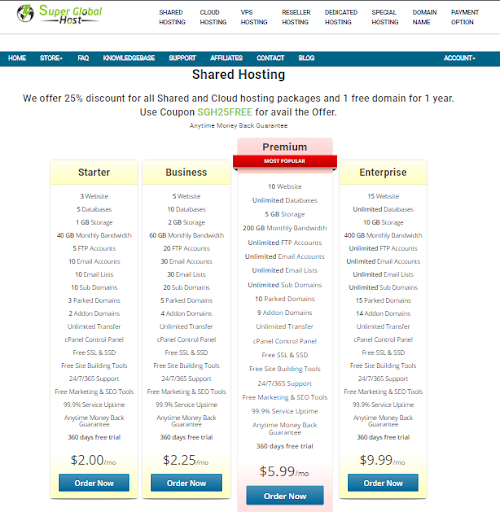
Things to know for secure system login in to the website:
-
Strong password
-
Guard your password
-
Hacked site secure
-
Unmanaged server securing
Secure system login - Strong Password
You should choose a strong password for your site, it is mandatory. As, it is vital for you account’s security. This article gives you tips on how to give a strong password?
Here are some ways in how to create a strong password:
-
Find out an uncommon phrase from a movie or a speech etc. Then you can use the middle word, adding some numbers like your ATM card’s pin code or something which is known to only you and not anybody else.
-
Choose a password containing at least eight characters long or longer, which will be difficult to crack.
-
Use punctuations marks at the start or end.
-
You can use the same letter more than once for example - croocoodile.
How you should not choose a strong password?
-
Usage of dictionary words.
-
Using your fathers, mothers or your name.
-
Using words from cracking dictionary. It is a dictionary where hackers try to crack your password.
-
Using any simple words and just capitalizing the first letter only. For example, Crocodile.
Secure system login - Guard your password
Never write your password anywhere try to memorize it, it won’t do any good if you create a strong password and write it somewhere else and somebody sees it. Do not share your password with anyone. If you get any email from a security specialist asking you to change your password do not do it.
Hacked Site – What should you do?
If you want to secure your hacked site you have to first know how the site got hacked. For example your password might have been compromised or your site contains a vulnerable application. If you think your password has been compromised you should immediately change your account’s password in cPanel immediately and if you suspect that there is a vulnerable application in your site please check if your Anti-virus is up to date which you are running in your computer.
Once you have secured your site you must clean the mess which are left behind. You should remove all the files from your account which you have not placed in the first place and after that if you find out that some files are missing or has been modified you can restore your files by using Server Rewind feature in cPanel.
Secure system login for Unmanaged Server
Unmanaged server gives you all the flexibility you need, you can install and configure whatever you want and run it by your own will there are no bindings.
If you are not careful with this freedom comes a great risk, your site is open for any cyber-attacks so you need to take some additional steps to secure system login of your website. A major attack can result into loss of your server and data.
For more information on different hosting features please visit our Knowledgebase.
 KSA C.R No. : 1009194418